 View on GitHub
 Food Domain Reference
Food Domain
ViewControllerFood
Controls all UI elements in the open food domain
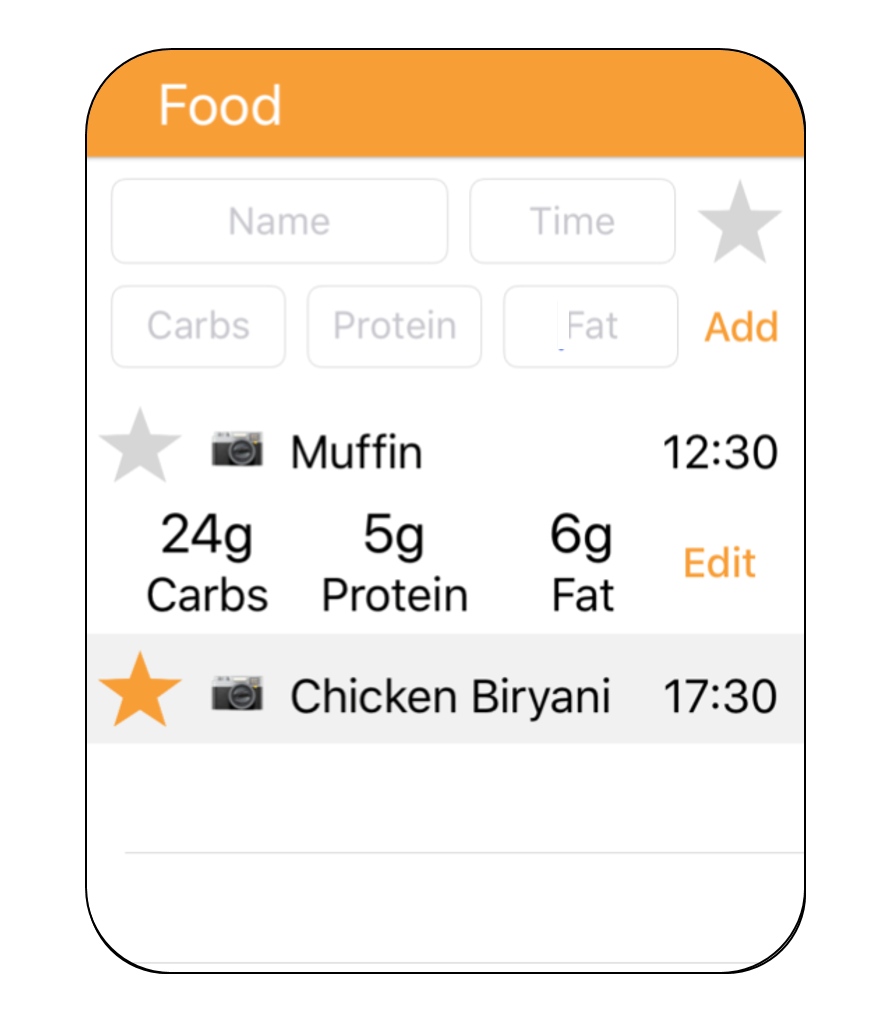
Image of open food domain
IndicatorControllerFood
Controls status indicators shown when the food domain is hidden
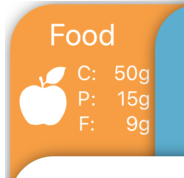
Image of food domain status indicators
Features
- Data entry fields for adding information about meals
- Table showing information about meals for the displayed day
- Favouriting system to save and choose from favourited meals
- Status indicator to show important information when other domains are being viewed
Data Entry
- Name Text field: Keyboard pops up when tapped and the user presses ‘Done’ when finished
- Time: Time Picker pops up to allow the user to choose a time. This is dismissed when user presses ‘Done’.
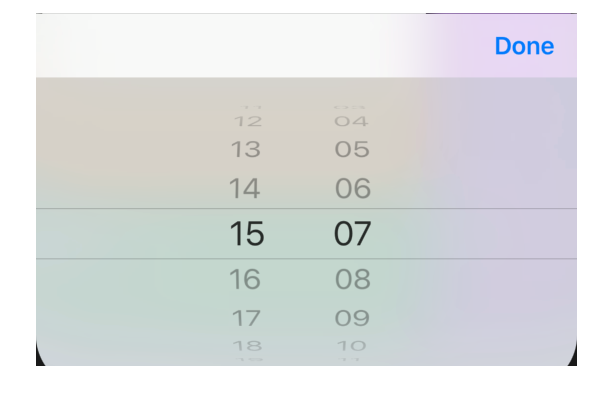
Image of Time Picker
- Carbs, Protein, Fat:
Numpad pops up when tapped to allow the user to enter numbers.
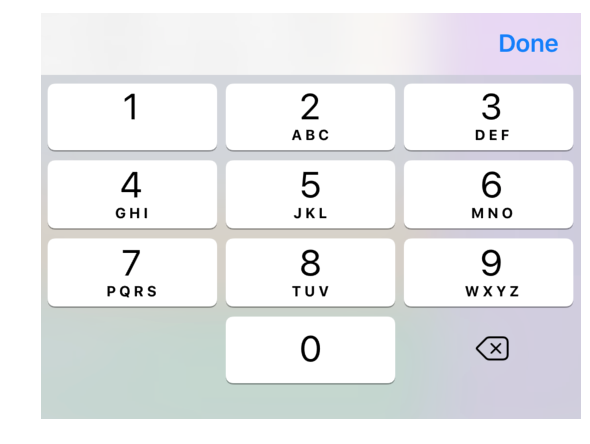
Image of numpad
No decimal point is available on the numpad to provide safety to inputs. Input value is presumed to be in grams, as the logical unit of macro-nutrients typical in other apps, diabetic pumps and food packaging labels.
carbs: Int32((Double(carbsTextField.text!)?.rounded())!),
Code for assignment of text field value for carbs
If a user uses an external keyboard and enters a decimal e.g. 5.5 this will be rounded to nearest integer.
If a user uses an external keyboard and enters a value that cannot be rounded or converted to an int32 e.g. jkl
, the app will crash but will not add this to the log, so the database will not be corrupted and the user can reopen and continue to use the app. This is very unlikely to occur anyway.
- Add button: Only calls function to add new log to database if all fields contain some text.
- Disabled for past days: Data entry fields are hidden if the user is not viewing the current day on the graph.
- Moving view to prevent keyboard/picker obscuring field: An observer in ViewDidLoad allows the controller to tell when a keyboard/picker is open, and calls a function to move the view 65px upwards, to prevent the input field from being obscured.
let nc = NotificationCenter.default
//Observers to determine keyboard state and move view so that fields aren't obscured
nc.addObserver(self, selector: #selector(keyboardWillShow(sender:)), name: NSNotification.Name.UIKeyboardWillShow, object: nil)
nc.addObserver(self, selector: #selector(keyboardWillHide(sender:)), name: NSNotification.Name.UIKeyboardWillHide, object: nil)
Table
- Setting cell labels:
ViewControllerFood.tableView(_:cellForRowAt:)uses fetched objects to set the labels of the cells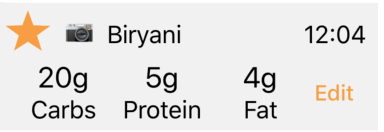
Image of Food table cell
- Expanding table cells: When a cell is selected it will expand or contract to show/hide the macro-nutrients of that meal
- Displaying meal logs for the day shown on graph: An observer is used to watch for notifications from
ViewControllerGraphand update the class’currentDayproperty. The data for the table is then fetched again for meal logs which matchcurrentDay
let nc = NotificationCenter.default
//Observer to update currentDay variable to match graph's day
nc.addObserver(self, selector: #selector(updateDay(notification:)), name: Notification.Name("dayChanged"), object: nil)
Instantiation of observer for when the day displayed on the graph changes
Favouriting System
- Favouriting: If a user clicks the star of a meal’s cell it will highlight in the colour of the domain, to symbolise it has been favourited. This will call a function to add the meal to the
Favouritesobject’s relationships. - Choosing from favourites: When the star in the data entry section is selected, it will highlight in the colour of the domain. The table will update to display meals which are favourited instead of the current day’s meals. If a user selects one of these cells, it will automatically fill in the text fields with that meal’s macro-nutrients and the current time. The user can then adjust or add this meal as normal.
Status Indicators
- Displaying information:
IndicatorControllerFoodcontains a viewDidLoad override to set the value of the labels to the total carbs, protein and fat for the day shown. These values are available as a computed property in theDaycategory/extension file. - Updating: Similarly to the table, an observer is used to track the currently displayed day on the graph. A second observer is used to update the values when a new meal is added to the current day.
let nc = NotificationCenter.default
//Observer to update indicators when new meal added
nc.addObserver(self, selector: #selector(foodStatsUpdated), name: Notification.Name("FoodAdded"), object: nil)
Instantiation of observer for updating indicator when new meal is added
Future Work
- Add buttons to edit or remove a meal log from the databse to the table cells.
-
Controls all UI elements within the food domain. This includes data entry, favouriting system and managing the food log.
See moreDeclaration
Swift
class ViewControllerFood : UIViewController, UIPickerViewDelegate, UITableViewDataSource, UITableViewDelegate, tableCellDelegate, UIImagePickerControllerDelegate, UINavigationControllerDelegate
-
Controls and updates food indicator elements visible when food domain is hidden. Currently displays total carbs, protein and fat consumed that day
See moreDeclaration
Swift
class IndicatorControllerFood : UIViewController